Choose the audience
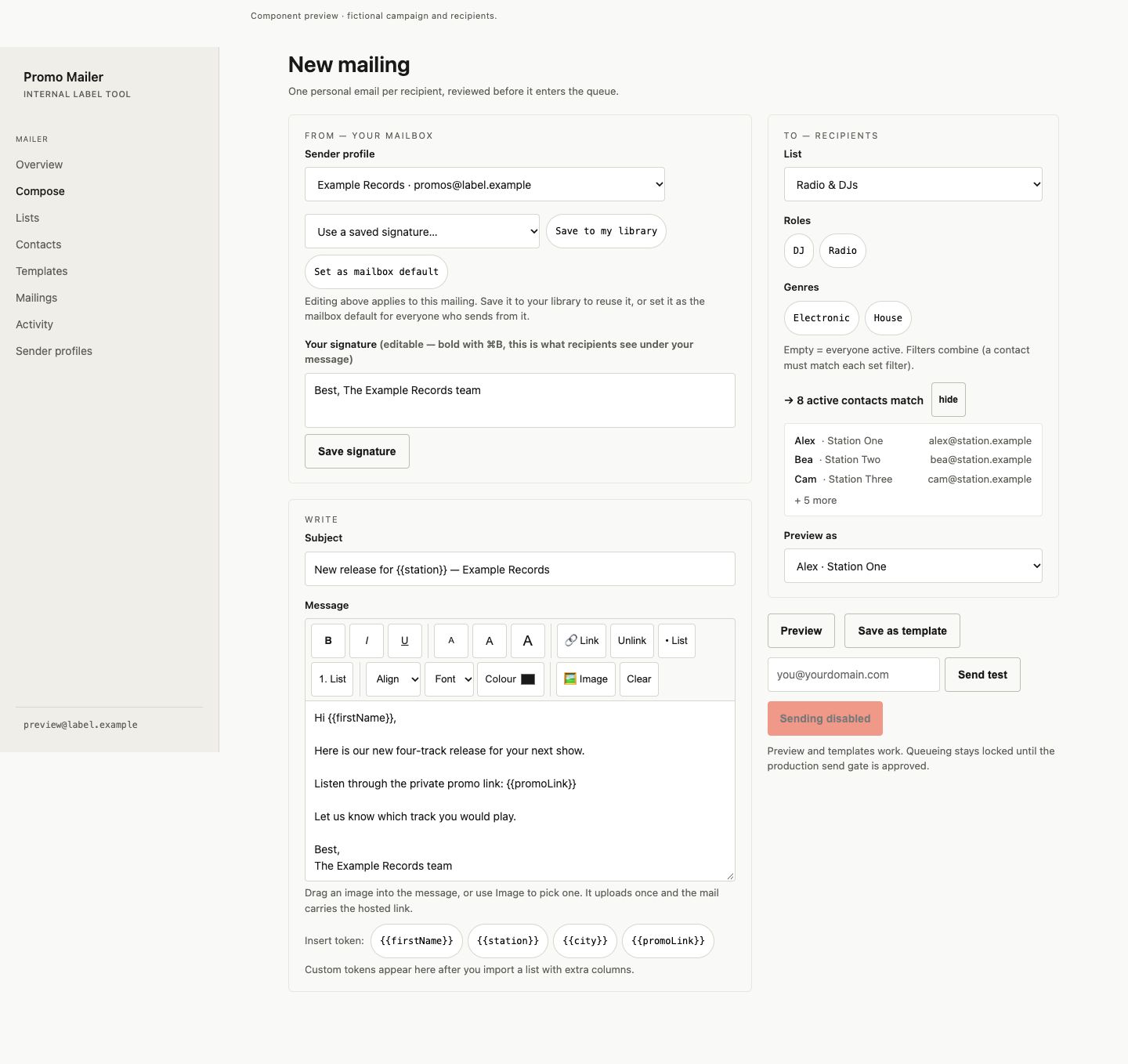
Keep contacts and saved lists ready for the next mailing. In Compose, select a list and refine the recipients with the available filters. A recipient count and sample contacts make the audience visible while you prepare the message.
Make the draft personal
Use contact details in the subject and message, choose a sender profile and signature, and save useful drafts as templates. Preview a recipient’s version to check that the personal details and message fit together before preparing the mailing.
Follow the mailing
Contacts, drafts and outgoing mailings share one browser workspace. Send through your existing email setup and use the activity view to follow delivery. The emphasis is on preparing and reviewing the message as carefully as the recipient list.
Availability
Promo Mailer is an internal tool accessed through team sign-in. The screenshot shows its Compose workspace with a fictional mailing and recipient list.